Internal platform. Zero to product without Figma.
Client
Valvur Platform · Case Study
Year
2026
Product: An internal platform for a 6-person team - tasks, CRM, AI content, brainstorms, payments, reports. Everything in one place.
Problem: A startup that moves faster than it grows. One designer for every process.
Solution: Code-first approach with AI on three levels - in the product, in the design process, and in quality control.
Scope of Work
When there are more processes than people
We're a team of six. We're building a children's cybersecurity ecosystem - an app, a school platform, landing pages, social media content. All at the same time.
For a while we lived in Notion. Then Notion + Trello. Then Notion + Trello + Google Sheets + "just text me so I don't forget." You can work like that. Just not for long. The frustration builds, the team starts eating each other alive - and we're already running on a skeleton crew.
We needed one place that knew about everything and where everything was connected. And I needed a place to experiment.
Before touching anything, I interviewed every team member - called them at different times, asked what frustrated them most, what slowed them down, what they kept forgetting. Three out of six named the same thing first: they didn't know what other people were working on. Two more said they lost track of incoming requests after calls and discussions. Then I spent a day shadowing our founder - the chief generator of ideas and chaos - and watched how many times he switched between apps just to solve one task.


Getting ahead of ourselves
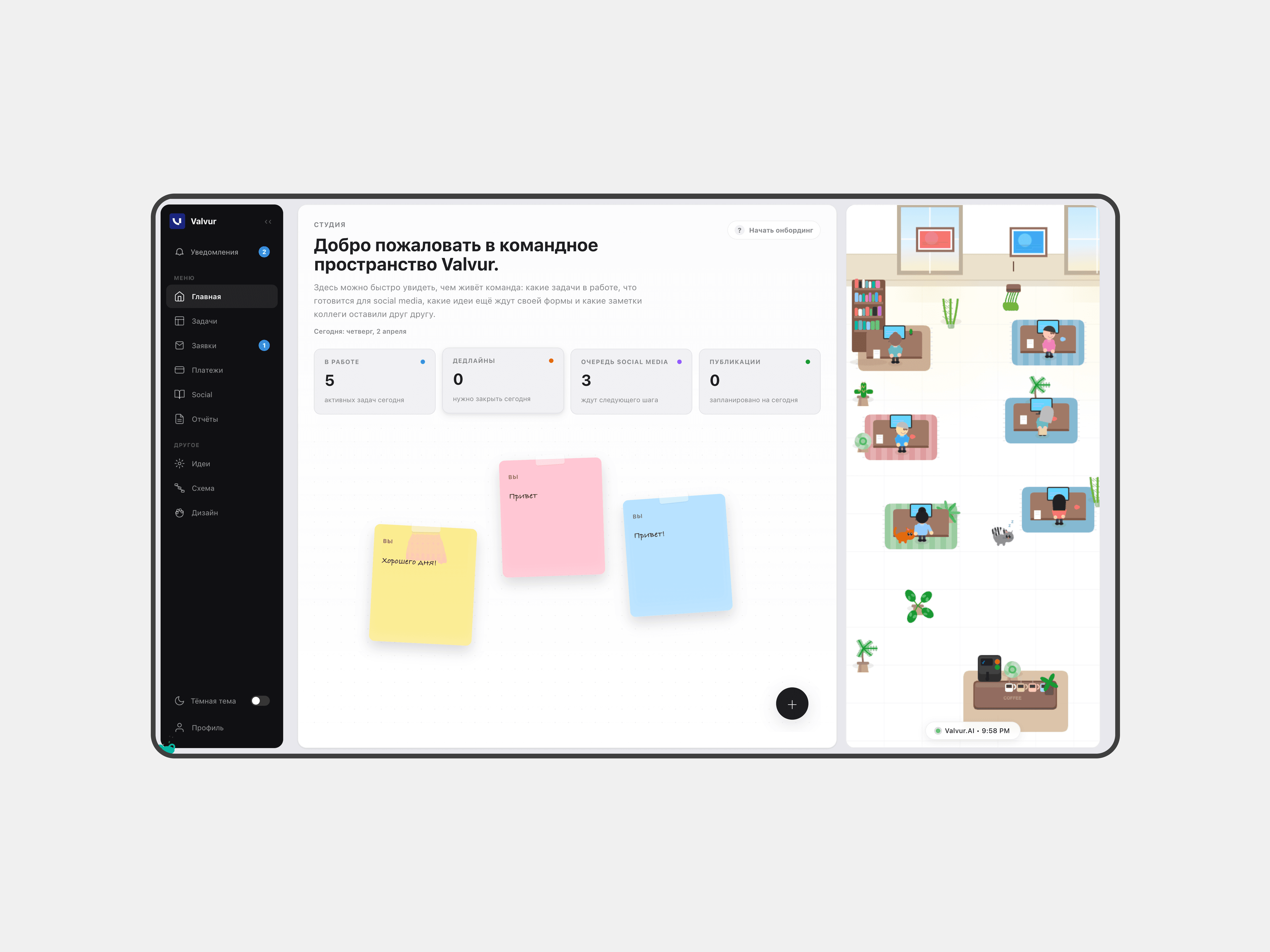
10 modules. 24 server functions. A Telegram bot. A design system. And it all works together.
The core - what the team needed most:
Tasks: Keep everything in one place, connect tasks to reports and leads, auto-generate them from calls and messenger threads. Kanban board, timeline, list view. Priorities, types, deadlines, comments, inline documents.
CRM: Control all incoming emails and leads, connect them to tasks, track stages. Leads from email, the bot, and the website. AI classification, email composer with templates, all conversations in one place.
Social: AI content pipeline for LinkedIn - idea generation from our knowledge base, draft text and visuals, review, publish. Architected to add new platforms without rewriting the core.
Plus six supporting modules:
Brainstorm (canvas with stickies, reactions, polls),
Pipeline (visual graph editor tracking content generation),
Payments (invoices, subscriptions, budget),
Reports (calls, updates, changelogs),
Studio (cat animations - this is important),
Profile & Notifications.
On top of all that: a Telegram bot that reminds about deadlines, shows stats, and lets you create tasks straight from chat. And a design system of 21+ components - from buttons to kanban boards - with a single import and strict rules.
The order wasn't random.
I prioritized by pain frequency and team-wide impact. The interview pattern was clear: coordination ("who does what") was the daily blocker for everyone - that's Tasks. Lead management ("where do incoming requests go") was the second biggest pain, especially after events - that's CRM. Content ("we need social media but nobody wants to make it") was the third - that's Social. Everything else grew from there, each module showing up when the team hit the next wall.
I also decided what not to build. Analytics dashboards, internal wikis, time tracking - all came up in conversations, but none of them solved a problem the team couldn't work around. The rule was simple: if someone already has a tolerable workaround, it's not a priority.

From one module to a system
"I stopped reading our Telegram chat a month ago" - a quote from our lead developer. For some reason he doesn't need a group with tasks, articles, landing page discussions and conference photos all mixed together. He needs to open one page and know what to do. Not "we need a task tracker" - exactly that. That's where Tasks came from.
Three view modes, task creation from the Telegram bot and the platform, overdue alerts, sorting and filtering, comments and files - that's everything a small team needs to cover the basics. The first version came together in two days, built with Claude, Telegram, Supabase, the Google Calendar API and Railway.
In the beginning there was the word, and the word was inline styles. In those two days I happily wrote everything in hardcoded values. `style={{ background: '#007AFF', borderRadius: 14 }}`. A week later I had four different buttons across three pages.
I started without a design system on purpose - when you're exploring, you don't know what patterns will survive. Locking in tokens before you have real screens is premature abstraction. But once the first three modules stabilized, the patterns became obvious. That's when I froze them into a system.
First - tokens: border radius, shadows, spacing, typography, z-index. Then atomic components: Button with variants, Badge with 16 color schemes, calendar, cards. 21 components, each with states. On top of the atoms - patterns: SidePanel for modal forms, DetailPanel for split-view, KanbanBoard for boards. The system includes design tokens, a component registry with full API docs, usage examples, and documented principles.
But the most important thing wasn't the components - it was the rules. A registry for every component with its API, examples, and a list of things you're not allowed to do. Hardcoded colors - forbidden. Custom buttons - forbidden. Custom panels with `position:fixed` - forbidden. This document is read by both humans and AI. A design system that makes it impossible to do the wrong thing - for you or the machine.
After that, every new module snapped together from existing blocks. I cut everything that didn't fit, and could jump between tools and models without losing context.


AI in the product: sorts, writes, publishes
CRM: the first AI layer.
Incoming requests come from three places: email, the Telegram bot, the website form. Investors, clients, spam: all in one pile.
On a regular day, we get maybe 3–5 requests. We're a small startup, not processing 2k leads a minute. But the morning after a conference? That's 20+ partnership requests, callback reminders and personal emails, all hitting three different inboxes that nobody fully trusted.
What changed:
Before: requests scattered across personal inbox, corporate inbox, a leads spreadsheet, and Telegram. After a conference, sorting took the entire morning. At least two leads got lost in the shuffle last quarter.
After: every request from every source flows into one system, gets auto-classified by Gemini, and lands in the right pipeline stage. Zero lost leads in three months.
Reply to leads from the CRM. Emails too. Send documents, create tasks and link them to leads, send bulk emails with templates, manage auto-replies, add pipeline stages, track history: all in the same place.
The UX decision: AI classifies, but the human always has the final word. If a manager manually changes a category: auto-classification never touches that contact again. This rule came after Gemini flagged an investor email as "waiting" twice. Two misclassifications of the same investor was enough: the cost of one lost investor relationship outweighs any automation benefit. We didn't retrain the model. We just gave the human the last word. Control without friction.
Content pipeline: the second AI layer. The problem: we need social media content, but nobody on the team wants to make it. Everyone knows it needs to happen: nobody sits down to do it.
What the pipeline does:
Generates post ideas from our knowledge base, tied to events and product updates
Drafts text and visuals per platform: a LinkedIn post gets a technical feature angle for investors; Instagram gets brand values for parents
Everything uses our tone of voice and shared product knowledge
Human review before anything publishes
Currently live on LinkedIn. The architecture is platform-agnostic: adding a new channel means writing one adapter, not rebuilding the pipeline.
The principle is the same in both:
AI works best when the person forgets there's AI behind it. If the interface makes you think about prompts and models: you've already lost. Complex backend, simple frontend.
AI in the process: code-first design
The product works. But how does one person keep building and maintaining all of it?
I built a system where design turns into working code directly. No Figma-to-dev handoff, no redlines, no "the padding is off."
Claude Code knows the entire project.
Context, component registry, rules, anti-patterns. When I say "build a split-view CRM with category filtering," it assembles it from the right components, with the right tokens.
MCP servers and APIs connect services, code review, and the design system into a single pipeline. Design system compliance is checked before the code ever reaches review.
Living documentation.
Not a PDF, not Confluence. Documents that both AI and humans read. New component goes into the registry automatically. New rule goes into the checklist.
And the third layer: AI handles quality control. Tests, double-checks, updates.
A concrete example: the Brainstorm module. Canvas with stickies, reactions, polls, drag-and-drop. From the first conversation with the founder to working code: 4 hours. That included discovery (what does the team actually need on a brainstorm canvas), component design (reusing StickyNote and SidePanel from the DS, building a new PollCard), implementation (Claude Code, 3 hours), and automated DS compliance check. Previously, the same scope (design in Figma, sign-off, development) would have been a week's work.

11 pages, 24 functions, one designer
Started with a kanban board for tasks. Ended up with a platform the whole team uses every day.
11 pages. 21+ design system components. 24 server functions. 20+ database tables. A Telegram bot. Three state machines. One designer.
The team stopped using Trello within the first week. Our founder now checks one dashboard instead of five apps. The developer who stopped reading Telegram? He opens Tasks every morning and knows exactly what to do. (Well okay I had to create telegram bot to send him pictures with acreaming parrots for the first few days, but then he was alright).
AI works on three levels. In the product: classifies leads, generates content, analyzes calls. In the process: turns a description into working code from the right components. In quality control: reads the design system rules and makes sure nobody breaks them.
Constraints scale better than freedom. I learned this the hard way. The first week without a design system, I had the freedom to style anything however I wanted. The result was four different buttons and a codebase that fought me on every change. The moment I locked things down (strict tokens, forbidden patterns, a registry that says "no"), everything accelerated. Because components show you what to build. Rules prevent you from building it wrong, whether you're a human or an AI.
